DxO PhotoLab 10 comes with more editing flexibility, colour grading options, and AI masking tools to simplify your workflow.
This blog post is part of the DxO series of posts using DxO PureRAW, DxO PhotoLab, and Nik Collection. Read my separate posts for each of these applications:
[ DxO Workflow | DxO PureRAW | DxO PhotoLab | Nik Collection ]
Disclaimer
The DxO Labs applications were provided for review purposes, but all opinions are my own.
Between September 4 – 7, 2026, new customers get 20% off with my code TAKULD2026 at checkout.
All other times you can use my name TAKU at checkout for 15% off any of their products from their website.



DxO PureRAW and DxO PhotoLab both use the same DeepPRIME noise reduction and Lens Optimization engines, therefore you will only need either one of these. If you already have and use Adobe Lightroom, consider just DxO PureRAW to take advantage of its noise reduction and lens optimization settings. Otherwise, consider DxO PhotoLab, which provides more colour editing and file management tools in addition to DeepPRIME.
DxO PhotoLab 10
Primary changes from DxO PhotoLab 9.6 include:
- Depth mask ability
- New colour grading tools
- Improved AI masking
- Workflow improvements
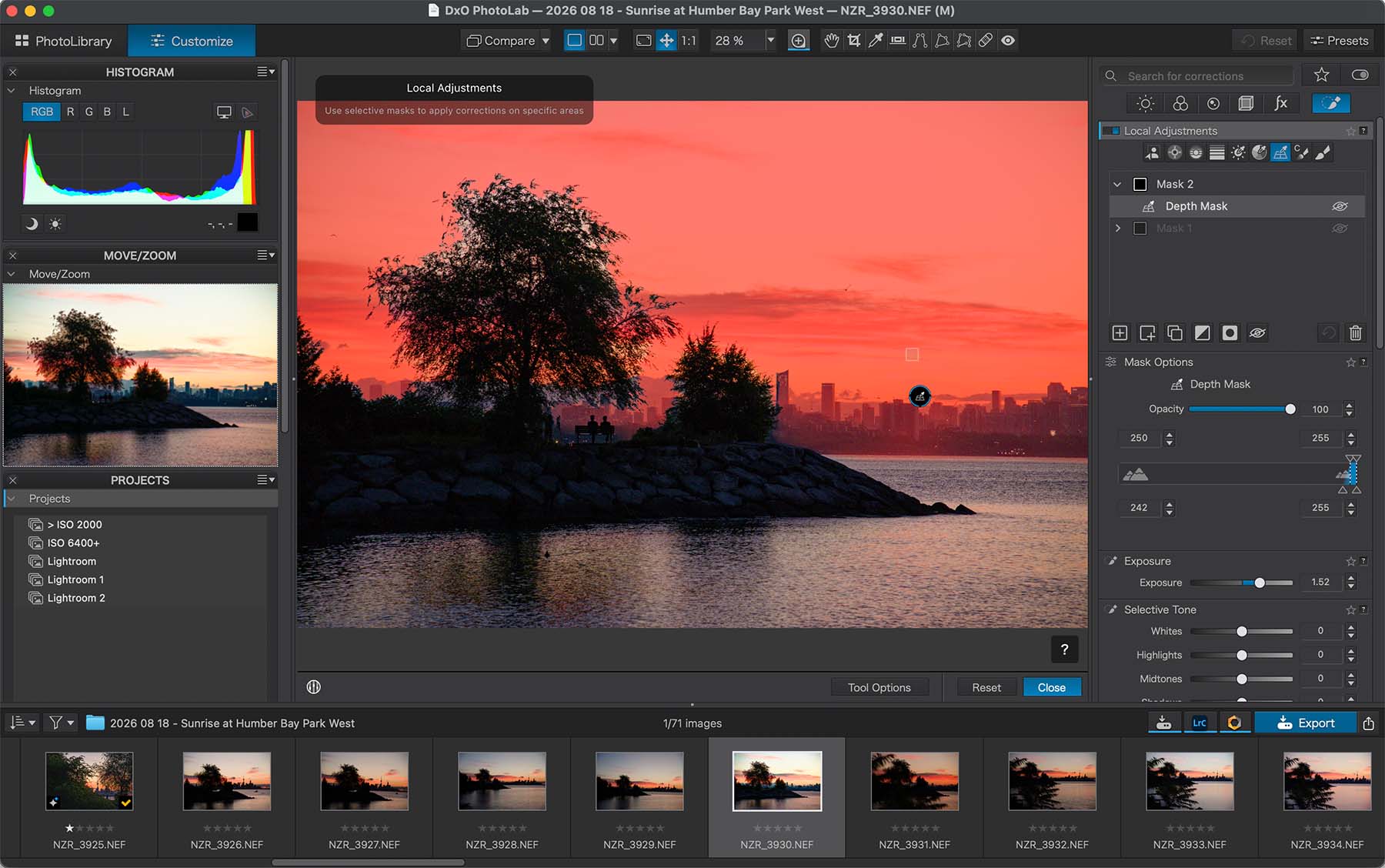
Depth Mask
PhotoLab 10 introduces a new AI masking tool with the ability to see three dimensional depth (distance away from camera) to allow for more editing flexibility—all without the need for depth information. The depth mask feature allows for editing specifically the foreground, midground, and background of your image. Using sliders allows for smooth transitions between each segment.
Regular mask selections can also be further enhanced through Chroma and Luma sliders to pinpoint your selections.
Colour Grading
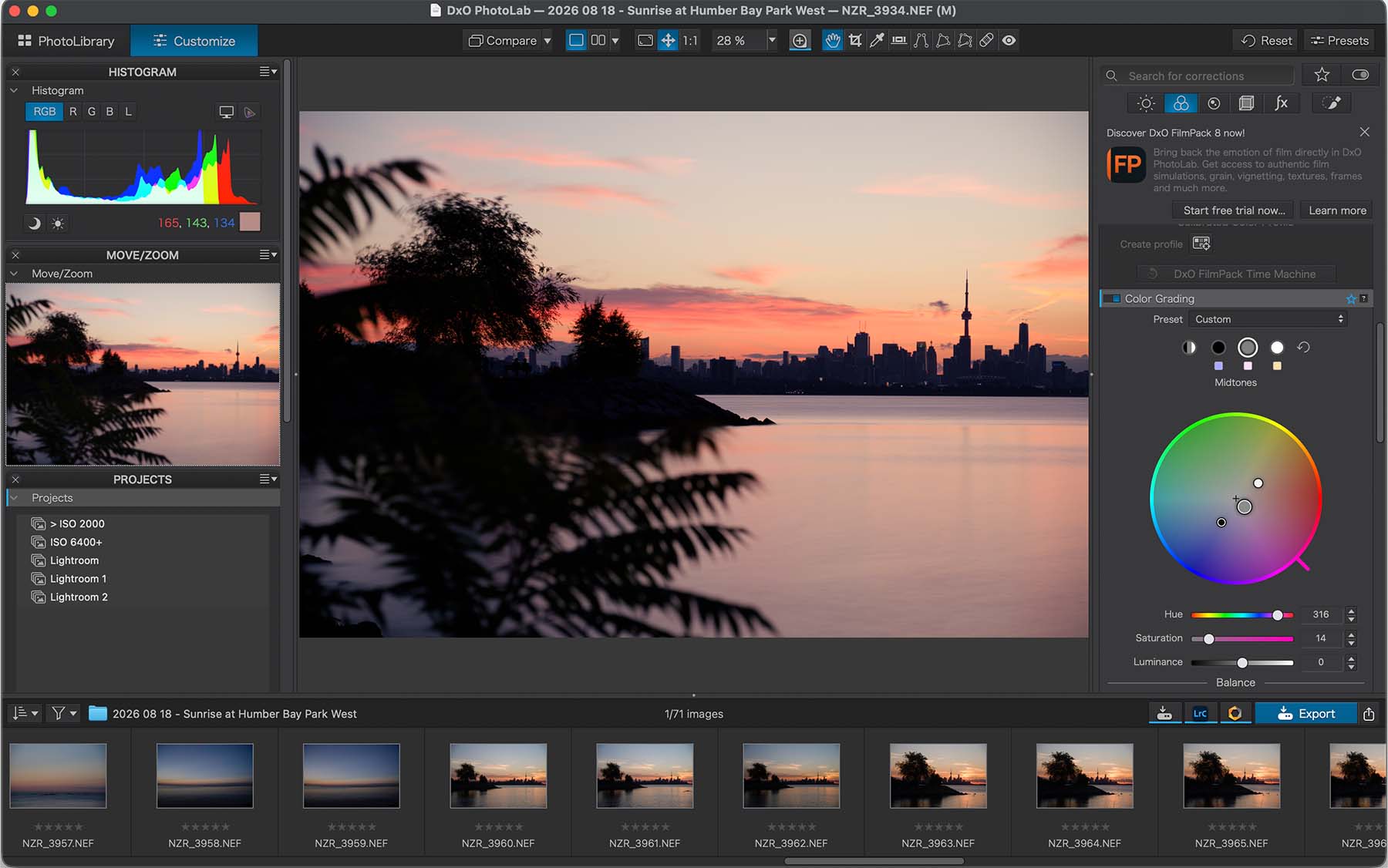
The new Colour Grading section allows for easier and precise editing of your images. You can now easily and precisely edit colours in the shadows, midtowns, and highlights.
AI Masking Improvements
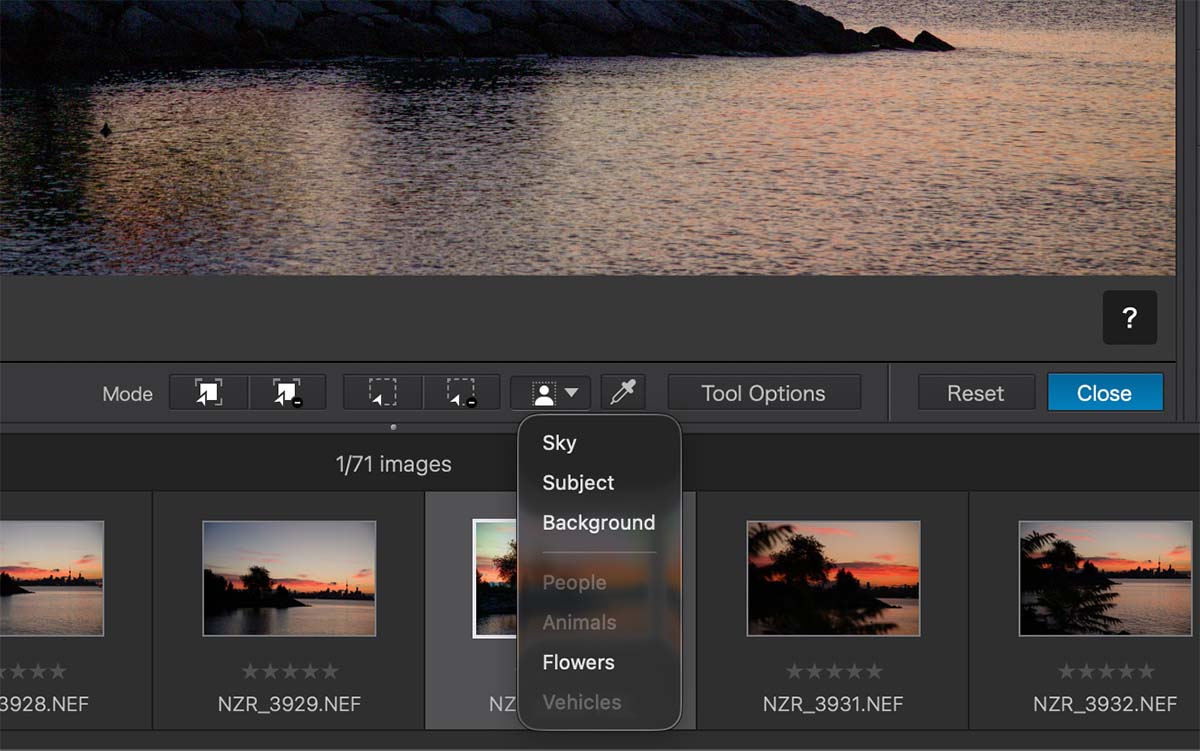
PhotoLab 10’s AI masking capabilities are even more precise with the ability to select individual subjects within the frame. After initial analysis of the image, you’re able to select individual elements of the image itself, and further improve upon those if needed.
For portraits, face segmentation captures individual elements of a person.
Additional Tools
AI masking can also be further edited through DxO’s U-point technology to allow for even more precise editing. The circular mask can now be manipulated by changing its shape and rotating it.
The new Control Brush allows users to use the brush tool with the combination of U-point technology’s colour and luminosity selection capabilities.
Sensor dust removal is now added to DxO’s RAW editing workflow!
Direct export path to Affinity is now added.
Direct Histogram adjustments allows users to adjust Whites, Highlights, Midtones, Shadows, and Darks by dragging inside the Histogram.
Pricing
DxO PhotoLab buying new: USD$249.99
Upgrade from a previous version: USD$129.99
Final Thoughts
DxO PhotoLab has always had some great mask selection tools, but this new version goes even further by adding more options to select different parts of your image. Whether this added convenience is important enough for you to upgrade to, is up to you.
I am glad to see DxO make further improvements in masking as this was always one of the areas I felt they needed to improve on.
To those new to DxO and without another photo editor, PhotoLab 10 is a great option at $249.99 considering all of the functionality it includes.
Do you use DxO PhotoLab? Let me know in the comments!
Use my name TAKU for 15% off any of their products on their website: