Creative editing with Nik Collection 9 can reignite your creative juices.

Nik Collection 9 is DxO Labs’ suite of apps for creatively editing your photos. The collection itself comes with eight (8) different applications, each doing different things: there are three apps for technical editing and five apps for creative editing, including the legendary Silver Efex, which is what I first started using several decades ago! You can read my initial impressions of the suite here.
Nik Collection can run as a standalone application, or can run with a host application like Adobe Photoshop, Lightroom, Affinity, or DxO PhotoLab. It’s easy to set up, fairly intuitive to use, but still allows for plenty of customization. The only difficult part I found was choosing which preset or filter to start my edits from!
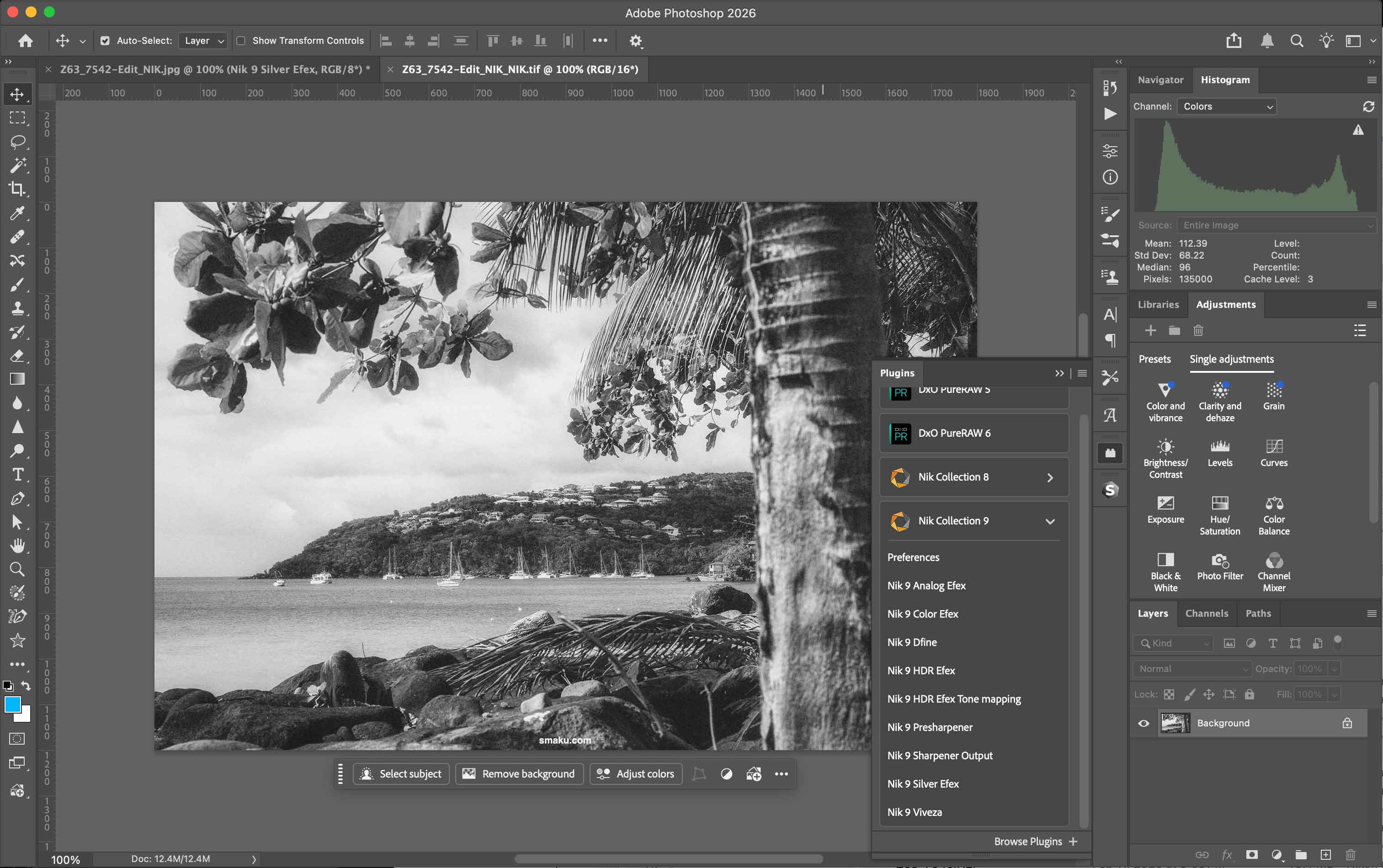

Nik Collection 9 offers several additions across all of its applications from Collection 8, most notably the use of AI masking. There are also new presets and UI improvements to enhance your overall workflow.
The Nik Collection can be thought of as being a collection of creative editing apps and technical editing apps. While some of these applications may not fit into everyone’s workflows, the few apps that do may certainly be worth the purchase price alone.
Creative editing apps
- Color Efex: The main colour editing application within the collection
- Silver Efex: The classic black and white editor that has stood the test of time
- Analog Efex: A creative editor to spark your edits
- HDR Efex: High definition edits to retain detail across the image
- Viveza: A simplified colour-editing application
Technical editing apps
- Dfine: a very effective noise reduction app
- Presharpener: sharpening your RAW images before your creative edits
- Sharpener Output: sharpen your image after your edits, geared toward the end-use
Nik Collection 9 at a glance
Here’s a summary of improvements to Nik Collection 9, as per DxO’s website.
Depth Masks
Target adjustments
based on distance with intuitive depth mapping.
Al Masks
Fast, pixel-precise
subject selection for
complex edits.
Color Grading
Exceptional control in an intuitive, streamlined interface.
Chromatic Shift
Shift color layers
for an authentic
analog feel.
Glass Effect
Reshape scenes with
exclusive and custom optical textures.
Halation
Control cinematic glows with precise, local adjustments.
Blending Mode
New ways t o control and expand creative possibilities.
Workflow Improvements
Real-time previews and local adjustment tools
for faster workflows.
Pricing
As always, Nik pricing is on a perpetual basis, which means when you purchase the license, you get to keep using the program forever with free updates until the next major version.
- New License: USD$179.99
- Upgrade License: USD$99.99
You can save 15% by using my name TAKU at checkout on their website.
Examples
Let’s look at what these Nik applications are all about.

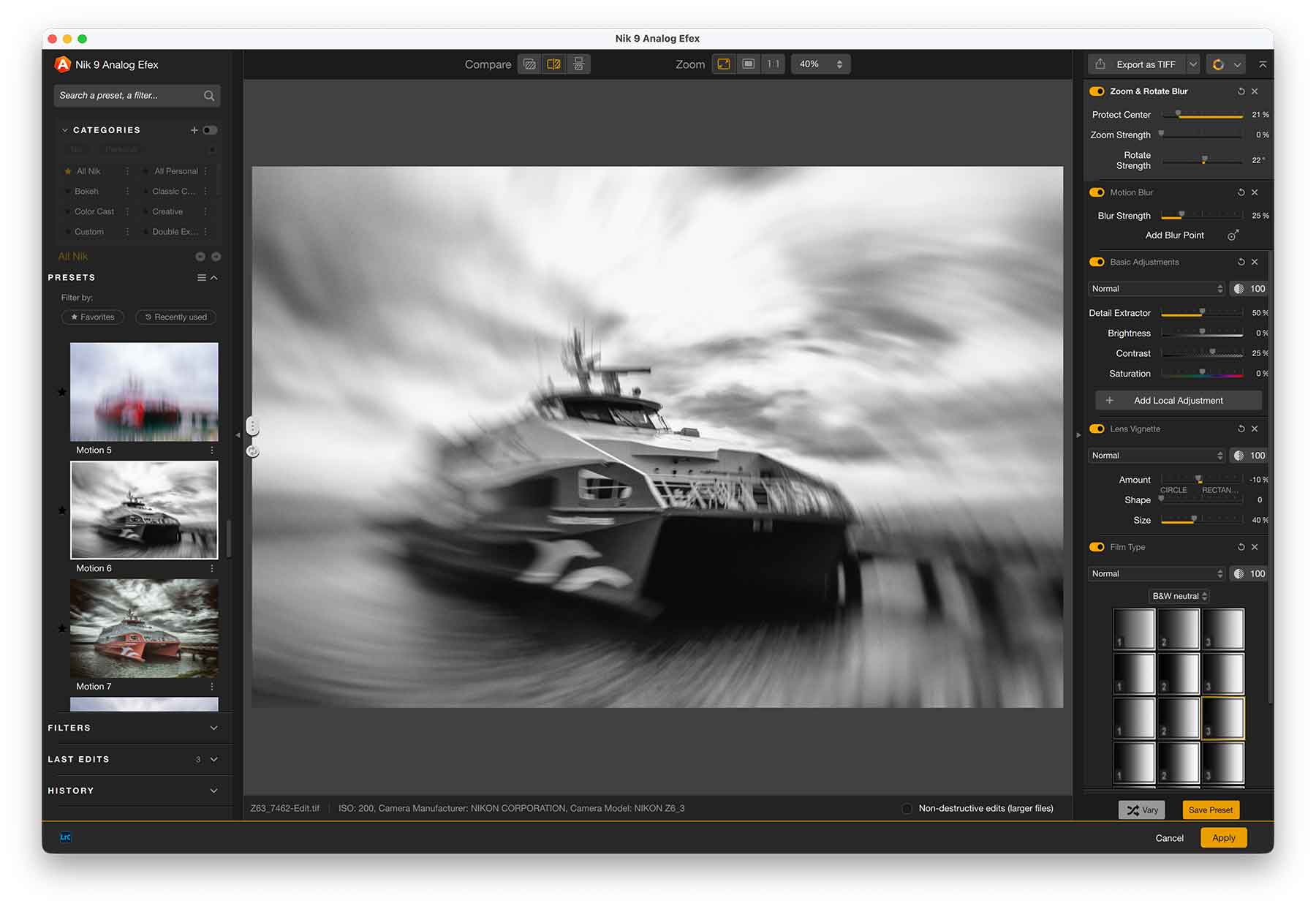
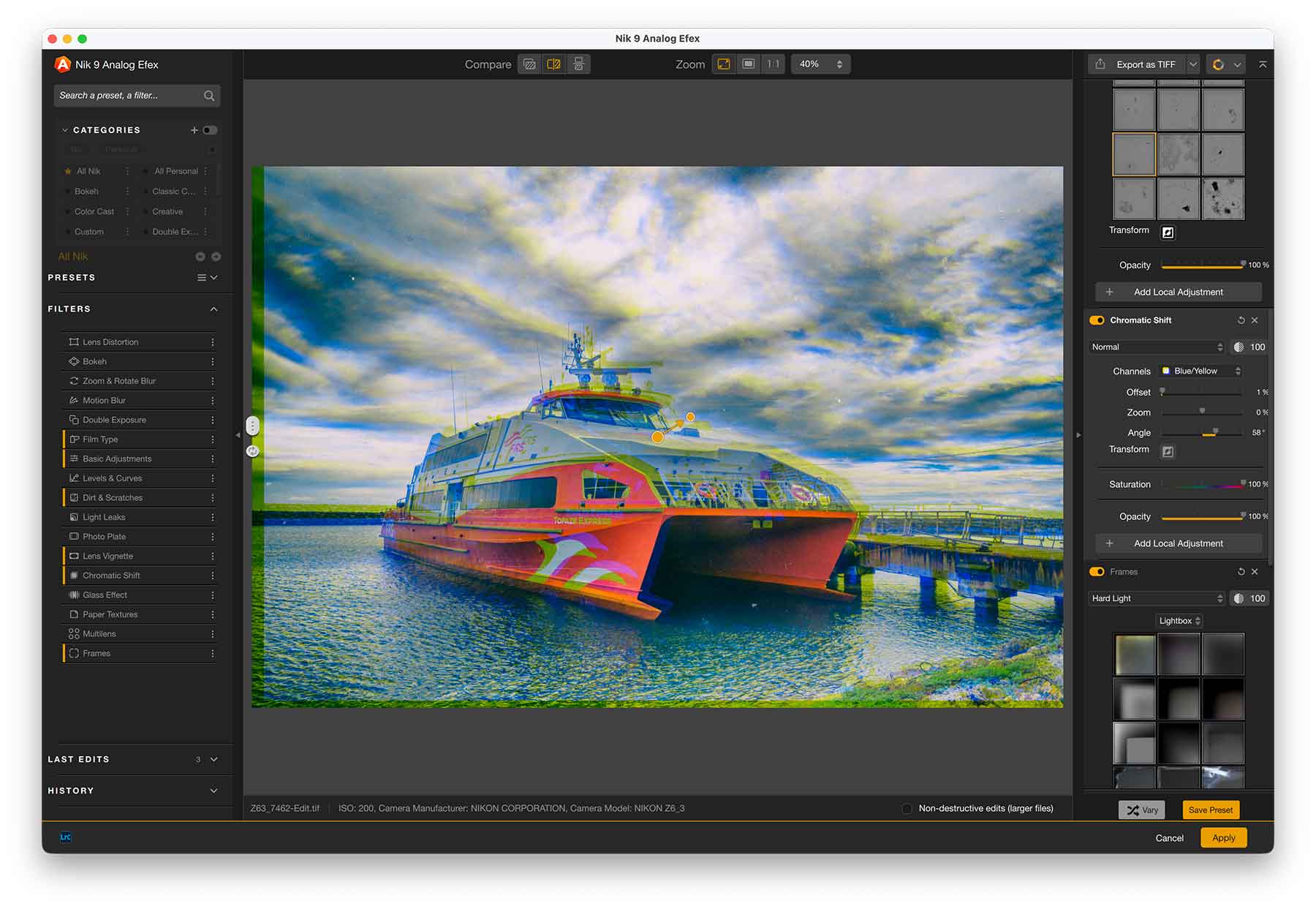
Available across all Nik applications, when you scroll over the Preset, it will show you a preview of the effect on the image to the right, allowing you to immediately see the effects without having to apply them. Moreover, you can change the blending mode of any of these filters for even more variety to your image.
Color Efex
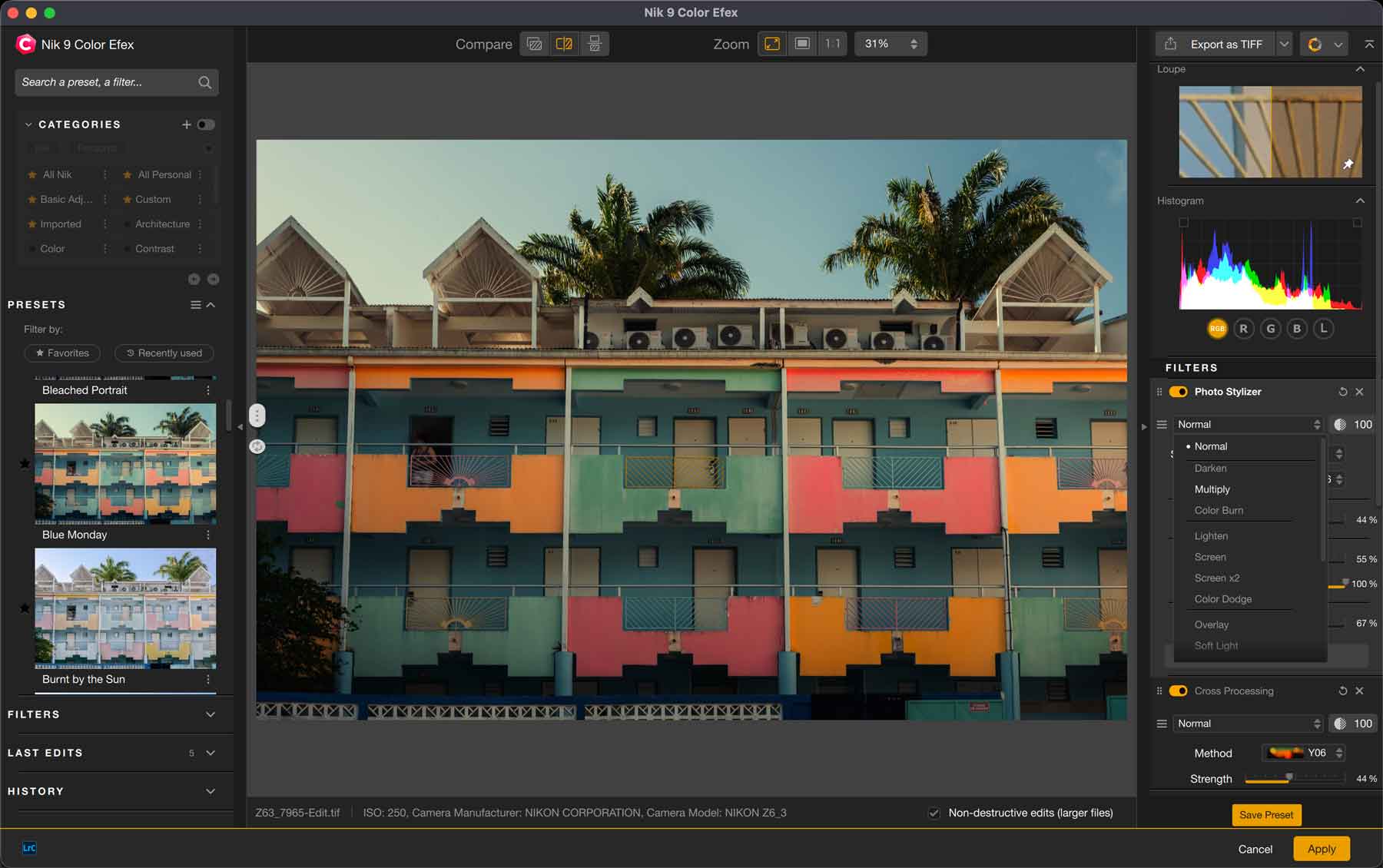
Color Efex is the more robust colour editing application in the Nik Collection. It is a photo editing program that allows for full editing of your images with an abundance of creative Presets and Filters for you to use.
While version 8 introduced the ability to transfer masks directly to/from Adobe Photoshop (making Photoshop’s AI masking tools available within Color Efex), version 9 improves masking by introducing AI masking tools of its own. Each filter can also have its own Blending Mode (as shown in image) for even more creative effects.
The app provides full colour control of your image. It may take a while to familiarize yourself with the Presets and their names, but it can provide a lot of inspiration to kickstart your creative edits.
Silver Efex
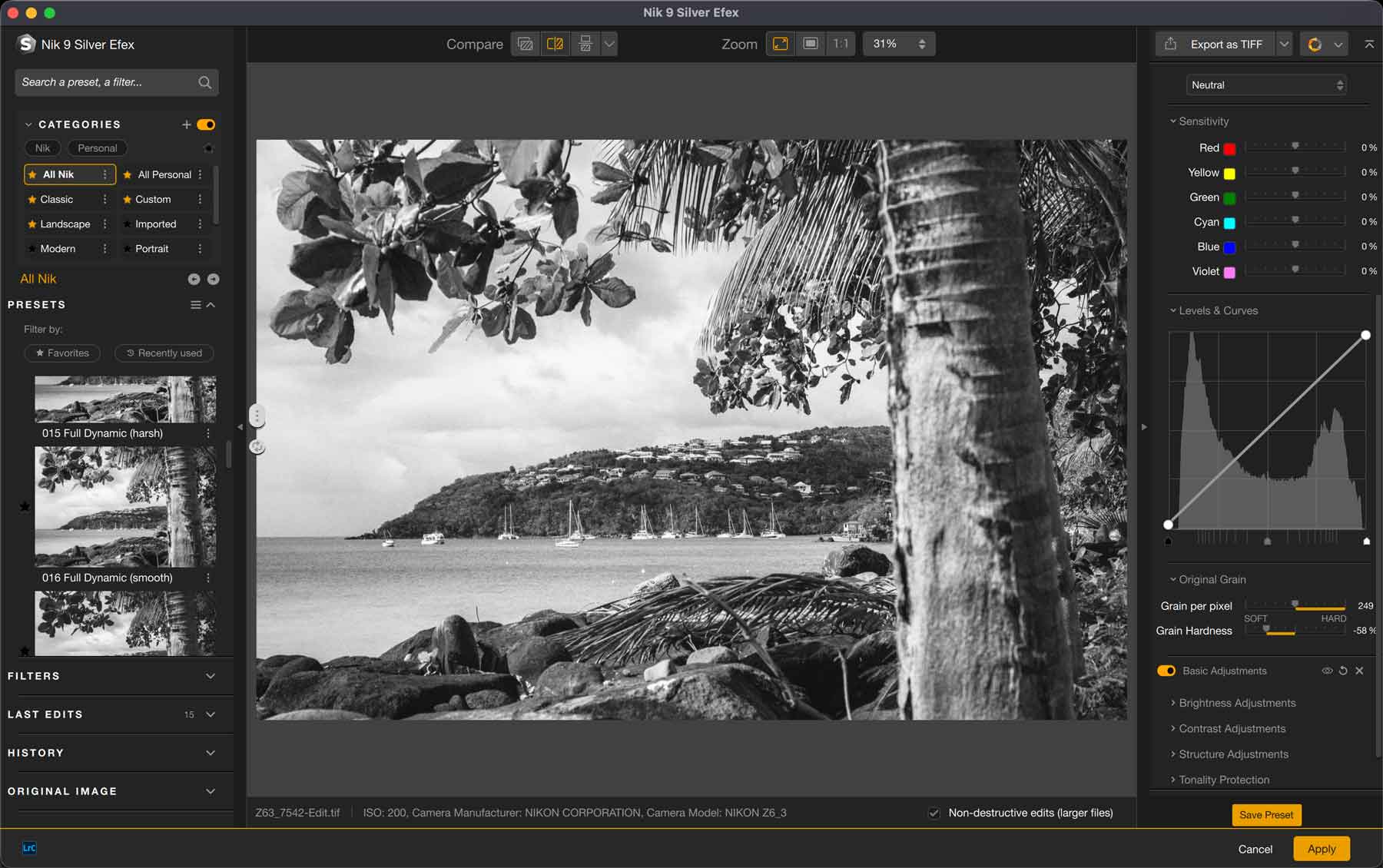
Some might argue that Silver Efex is the anchor application for Nik Collection. It is notably the tool that many photographers use/recommend for their black and white conversions and edits. It provides authentic black and white tools that you can apply globally and locally to your photos.
The number of Presets and Filters that come ready-to-use are great starting points for you to craft your perfect edit.
While the core functionality of Silver Efex hasn’t changed from version 8, the added ability to fine tune your masks with AI masks will benefit those that want granular control over their images.
Analog Efex
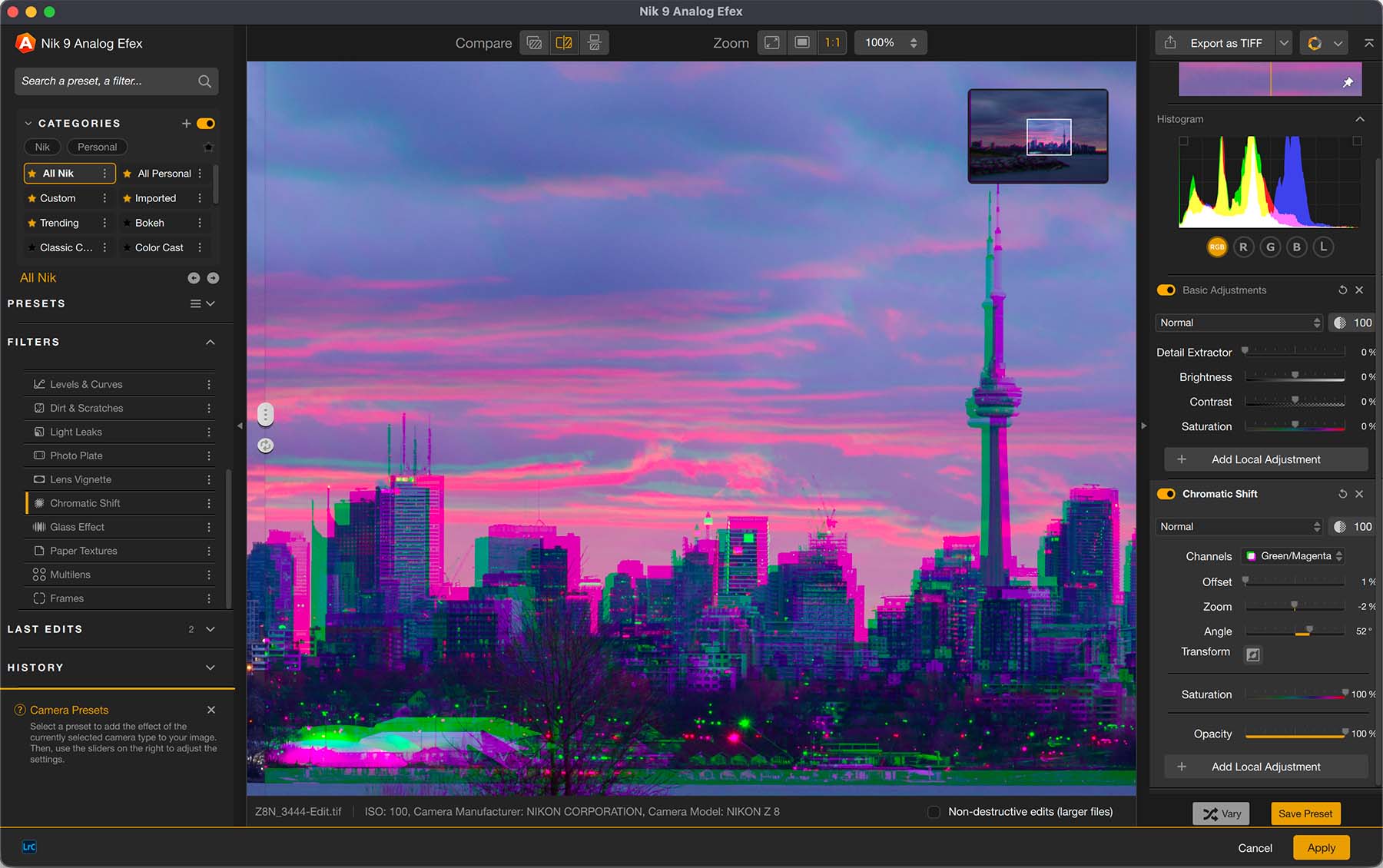
Analog Efex provides a plethora of creative editing tools to get your creative juices flowing. With so many different Presets and Filters for you to choose from, you’ll never tire of the variety of effects you can create with this one application alone. It provides many emulations for classic film, camera, and lenses, and effects for imperfections like light leaks, scratches, borders, and more.
A notable change from version 8 is the addition of new filters like Chromatic Shift, and Glass.
This is not only a great way to add nostalgic feels to your modern photos, but is also a great starting point for creative edits like multiple exposures, adding borders, and more. Use this as a launching pad to your creative edits.
HDR Efex
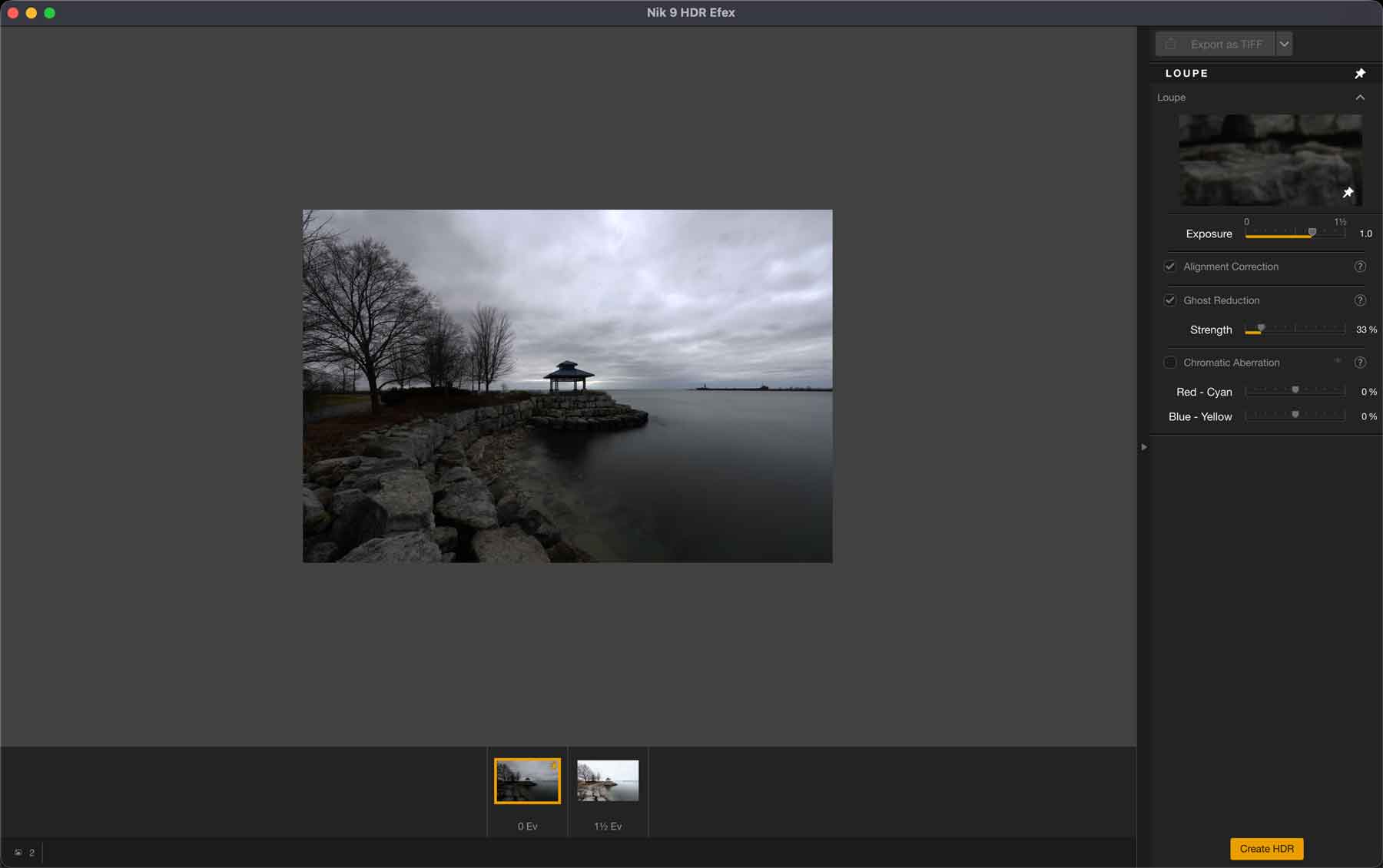
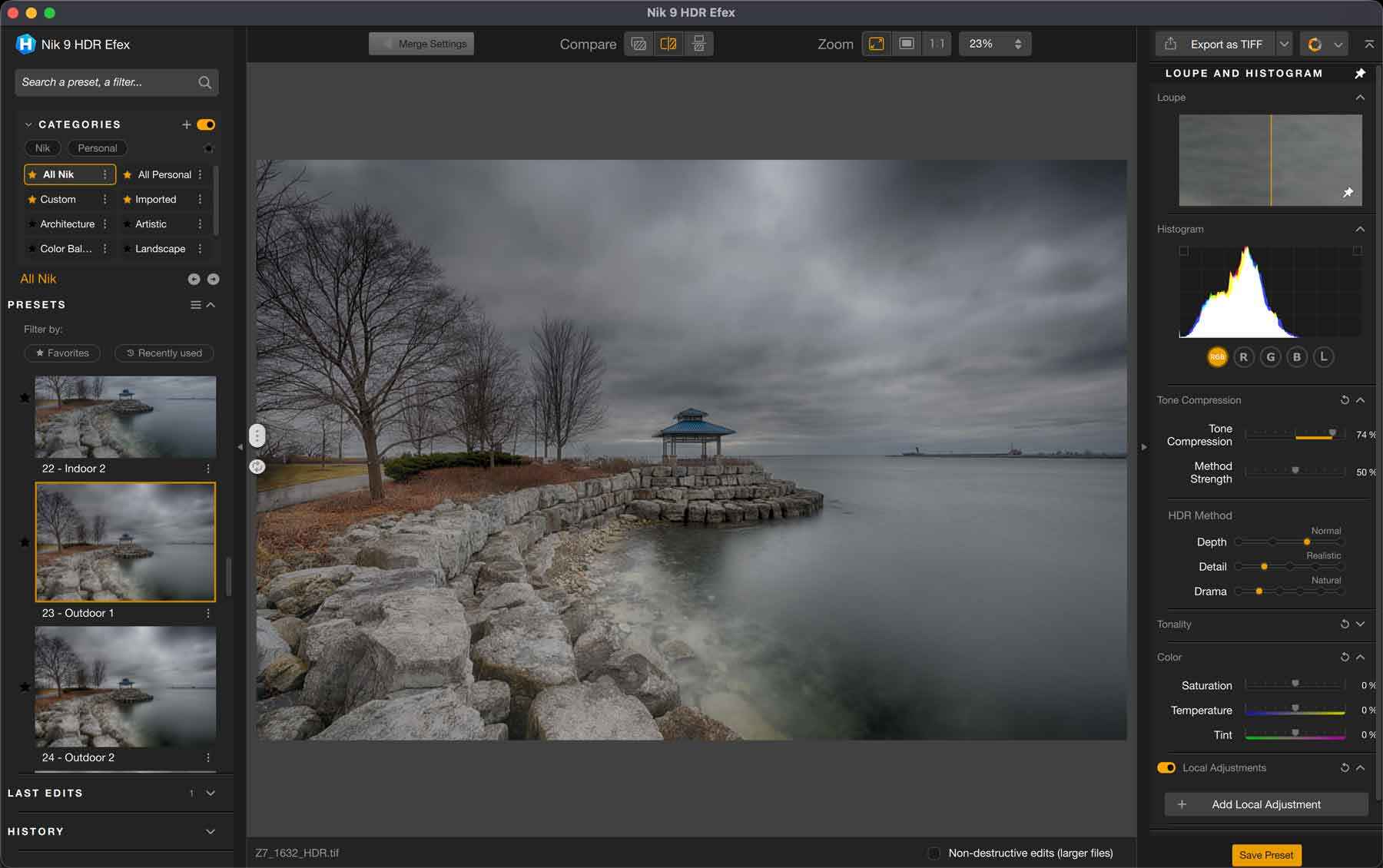
HDR Efex is a specialized program that can combine exposure-bracketed files to create one file with a higher dynamic range. It can also handle one single file to improve on details in the shadow and highlight areas.
Functionality-wise I see no changes from version 8, other than the AI masking and Blending Modes for filters.
It is a niche application for those that like to bracket their photos. I seldom bracket my photos so I wouldn’t find this in my usual rotation of editing apps.
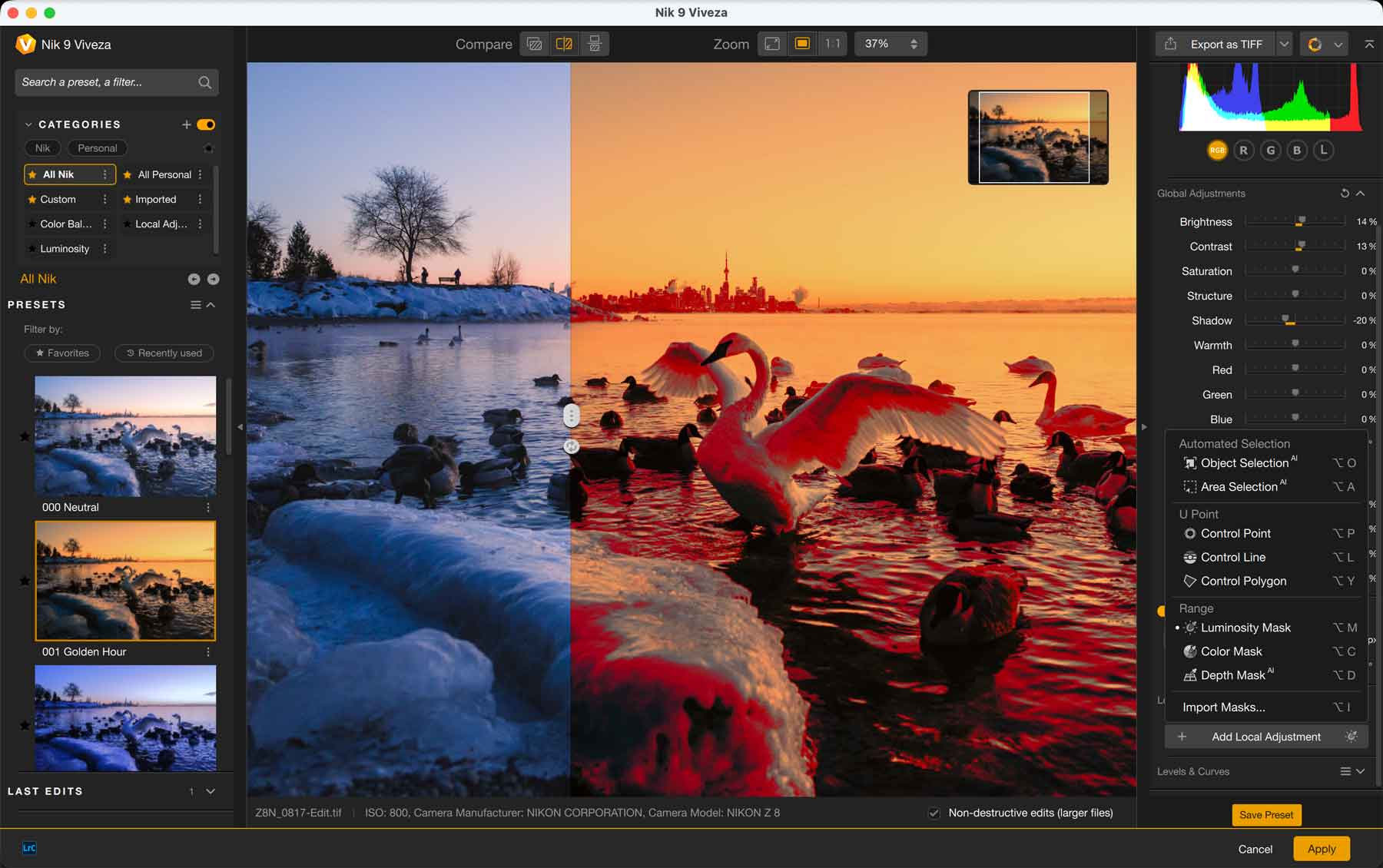
Viveza
Viveza is another colour editing application within the Nik Collection that allows for global and targeted colour and exposure adjustments. There are Presets available to start you off, but curiously these presets are a little more basic than those within Color Efex.
Functionality-wise I see no changes from version 8, other than the core changes affecting all apps.
I don’t think there’s anything in Viveza that Color Efex cannot handle. Even if you just wanted standard colour editing done on your image, I would still opt to use Color Efex, so truthfully this application will not find a place in my editing workflow.
Dfine
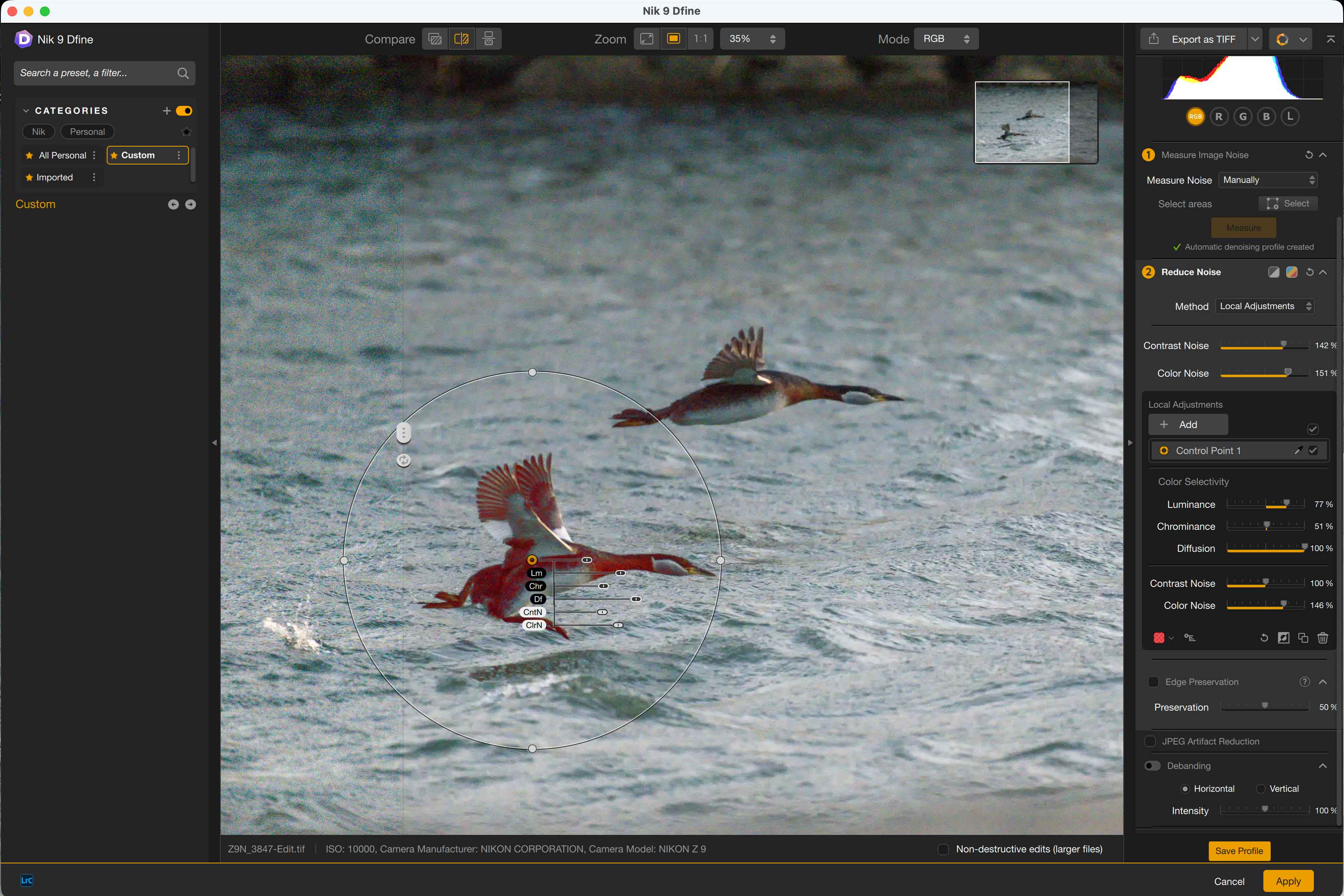
Dfine is the noise reduction tool for the Nik Collection. It offers either an Automatic mode or Manual mode where you can specifically identify areas to reduce the noise using various masking techniques.
By applying the Automatic mode on a high-ISO image, I immediately noticed a marked improvement of Dfine 9 vs. Dfine 8. Noise was better eliminated, and there were significantly less blotchy artifacts. Moreover, the AI masking tools to select areas, objects, or a depth map further enhances the ability to perform targeted noise reduction.
Overall I think it does a great job of noise reduction, but its algorithm is still a little behind other dedicated noise reduction software like Topaz Denoise. If you’re a DxO PureRAW user, this app would be of little use as the former does a much better job.
Presharpener
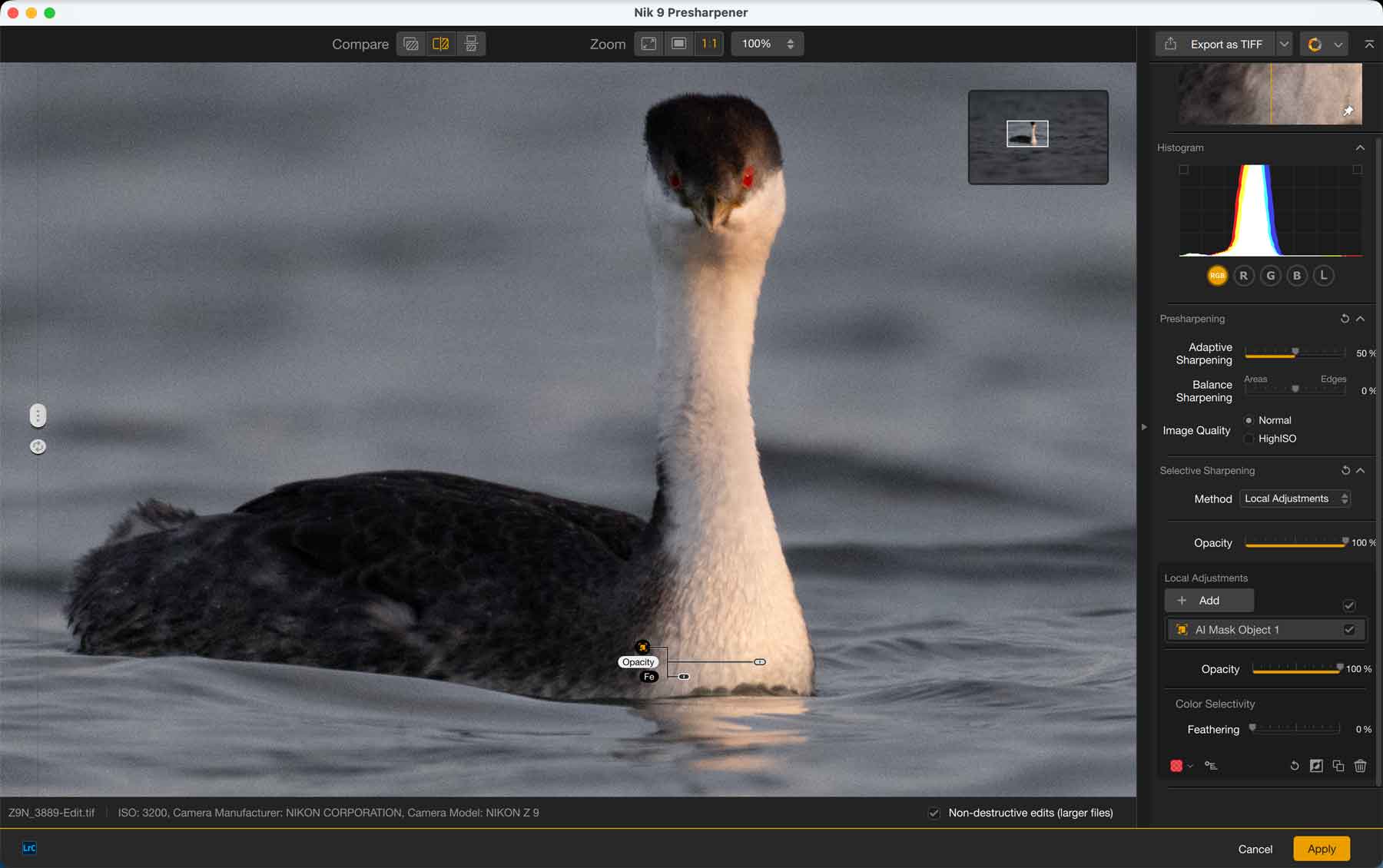
Presharpener is a dedicated sharpening application for your images used at the very start of your editing workflow. It helps to reduce the softness of images that are inherent in our files, so you can edit from a better starting point.
I prefer to edit as much as I can in RAW format, so I personally prefer programs that allow me to retain the RAW format until the very end—especially when the application needs to be used at the start of my workflow. This application converts your RAW to a JPG or TIF before importing into the program, so I would likely not use this within my workflow. DxO PureRAW users would not need this in their workflow either.
Sharpener Output
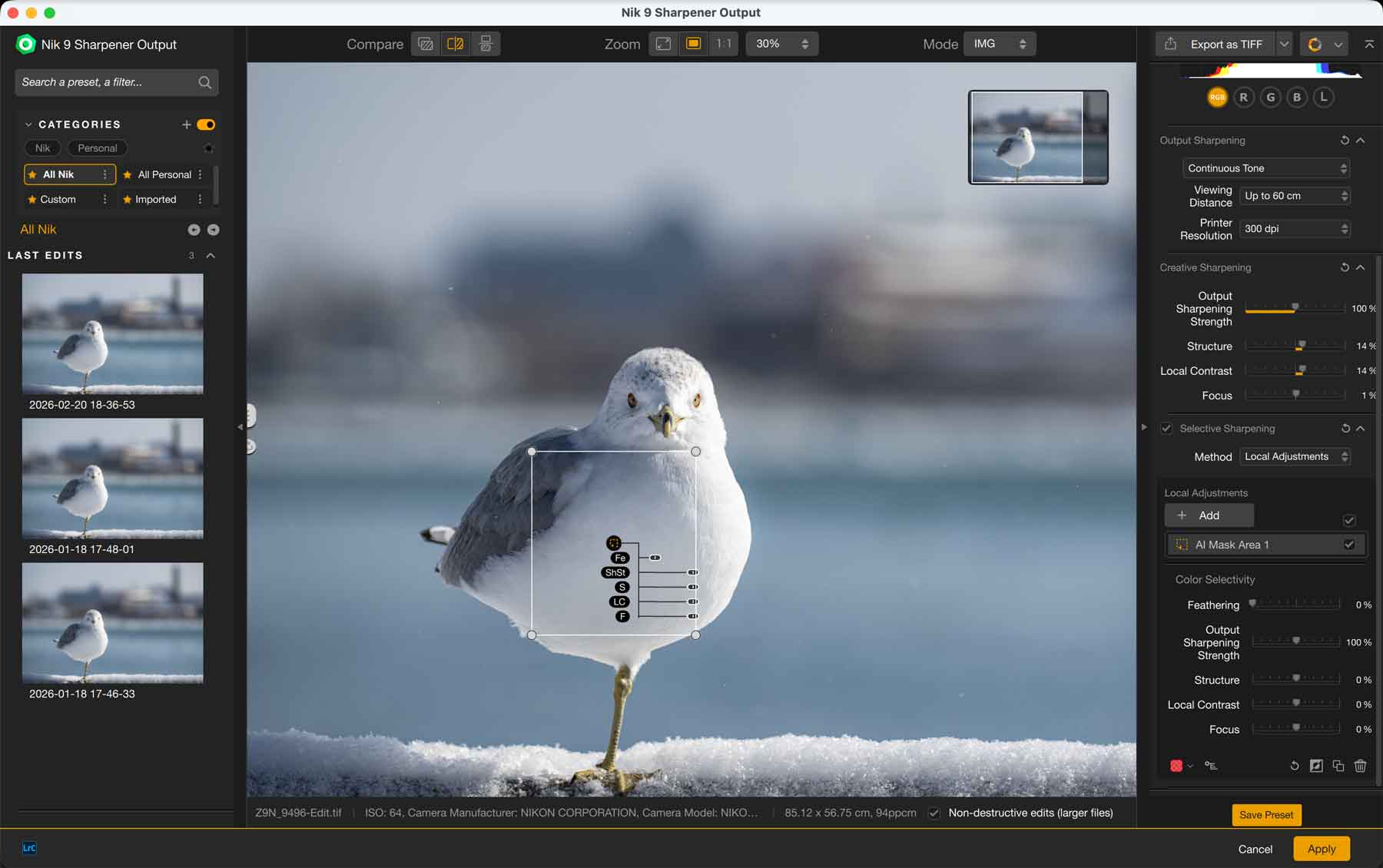
Sharpener Output is a sharpening application for your images used at the very end of your editing workflow. Based on your end-use of the image, the level of sharpening will change, and should be done carefully as to not introduce any unwanted artifacts.
By selecting the desired use-case for your image, the program will apply a predefined amount of sharpening. The further away the viewing distance is, the more sharpening the application applies to your image. I found the furthest distance applied an extreme amount of sharpening that a large halo appeared in my image. I would never apply that much sharpening even if I were to view it several meters away.
Overall I think it does a great job of providing a customized sharpening solution with the ability to target areas using its AI masking capabilities. While I currently use Adobe Lightroom for my post-edit sharpening needs, I wouldn’t hesitate to use Nik Sharpener Output to refine my sharpening workflow.
Final Thoughts
I’ve always loved using Nik Silver Efex and Color Efex for creative edits. The variety of presets that are provided give a great starting point to build your own creative style. Now that masking is a lot easier to do—and with the introduction of depth maps—your edits can be even more complex, yet easily done.
Admittedly I don’t use their technical applications in this collection a lot, but that’s because I use DxO PureRAW as my pre-sharpener, and rely on Adobe Lightroom for my post-sharpening. Viveza is also considered to be a simpler version of Color Efex, therefore I always end up opting to use the latter.
Still, I value the creative opportunities provided in these apps, so an upgrade price of USD$99.99 is of value, especially if you take advantage of the AI and depth map masking capabilities. You’ll have to judge for yourself though whether these applications offer enough value for your creative workflow.
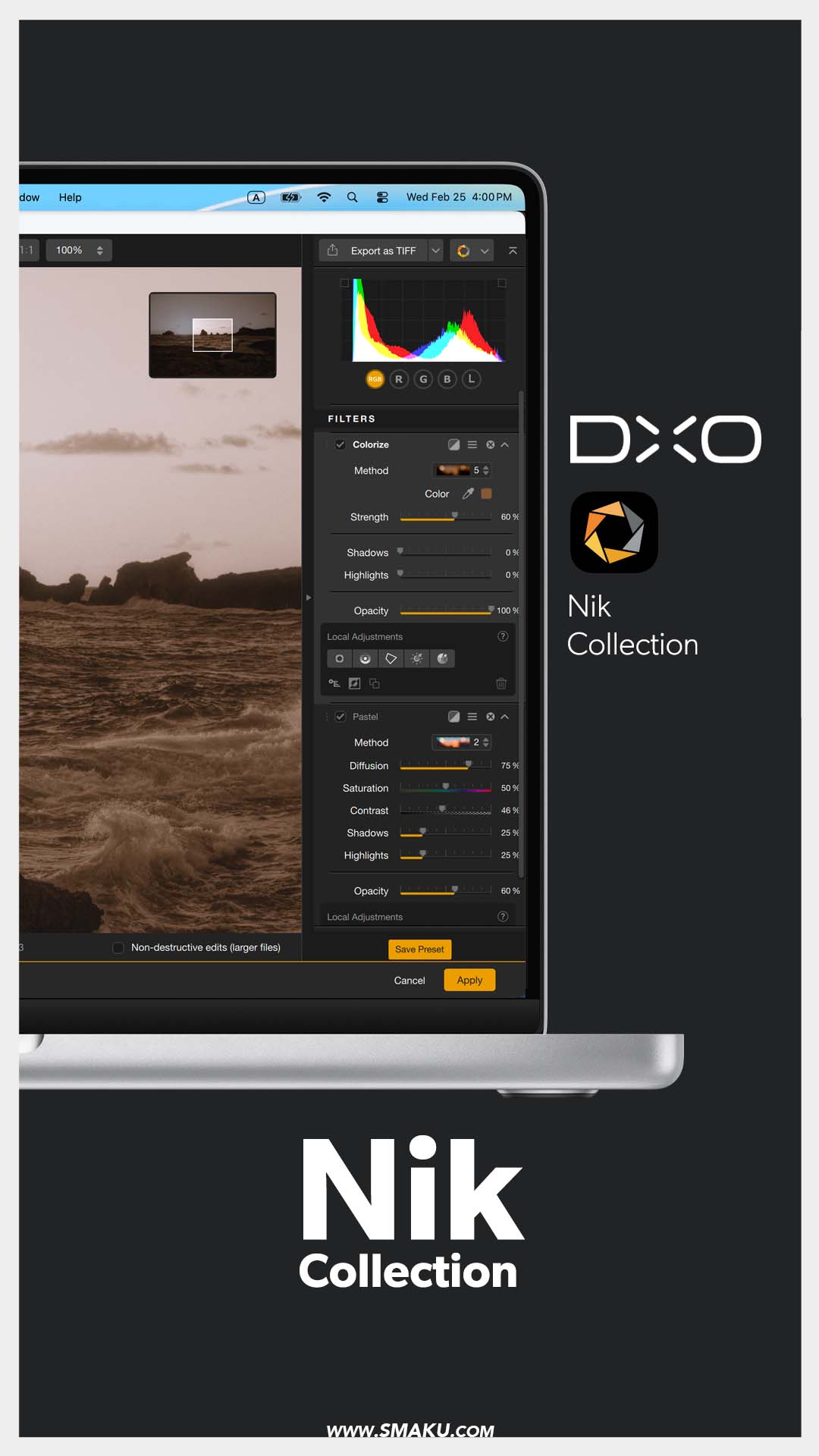
Do you use any of the DxO products? Let me know which one you use in the comments.
And don’t forget, you can save 15% using my name, TAKU, at checkout on their website.